💡 3 Essential Tips for Next-Level Procreate Portraits
1. Mastering Color Theory for Skin Tones
It’s not just about learning the technique — it’s about shifting how you think about color. Instead of relying on a single peach tone, Seal emphasizes using a range of base colors like pink, red, and even blue to build depth in skin tones. This approach allows for truly lifelike complexions, adding those subtle variations that make a portrait pop. Experiment with layering these tones to create natural highlights and shadows, giving your portraits that sought-after glow.
2. Efficient Sketching for Expressive Faces
The secret to capturing character lies in a streamlined sketching process. Seal’s method focuses on minimal lines that still convey form and personality. Instead of overworking the initial sketch, concentrate on establishing the core composition and key facial feature placements. This technique allows you to build a strong foundation quickly, leaving more time for the expressive details that truly define a portrait. It’s about efficiency without sacrificing the essence of the character.
3. The Power of Subtle Textures and Reflected Light
The finishing touch that elevates a portrait from good to great is often in the details. Seal highlights the importance of subtle textures and how reflected light interacts with them. By understanding how light bounces off different surfaces—like skin or hair—you can add a layer of realism that feels incredibly natural. This involves careful brush selection and application, focusing on those small touches that mimic real-world lighting and add a dynamic feel to your artwork.
🛠️ Key Skills & Details That Define Professional Quality
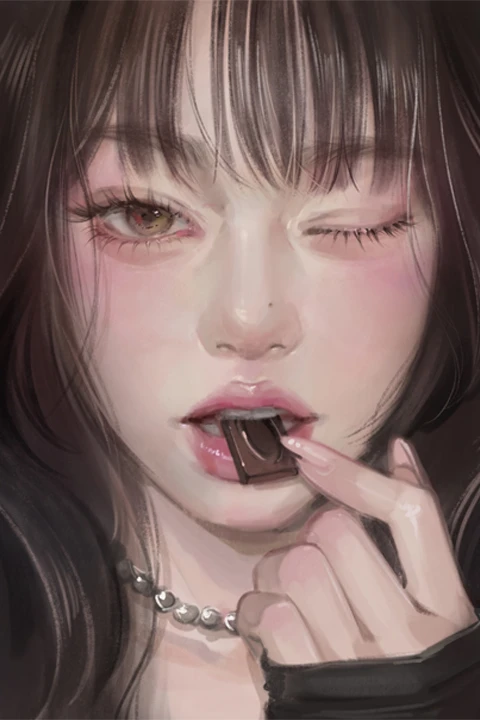
To achieve professional-quality portraits in Procreate, focus on mastering foundational drawing techniques and thoughtful color application. This includes:
- Brush Control and Pressure Dynamics: Understand how varying brush pressure and tilt in Procreate can dramatically impact line weight and texture. Seal’s techniques demonstrate how to use this to create natural-looking hair strands and soft skin contours.
- Strategic Layering for Depth: Learn to build your portrait using layers effectively. This isn’t just about separating elements; it’s about how you blend and adjust opacities to create a sense of depth and realism, particularly in skin tones and fabric textures.
- Color Palette Harmony: Develop an eye for harmonious color palettes. Seal’s approach teaches you to select colors that not only complement each other but also enhance the mood and personality of the subject. This involves understanding color theory beyond basic hues, delving into saturation and value.
- Textural Application: Beyond flat colors, explore how to apply textures. This could be subtle skin texture, the sheen in hair, or the weave of fabric. Learning which brushes and techniques achieve these effects efficiently is key to a polished final piece.
💬 Frequently Asked Questions
Q. How can Illustrator beginners achieve lifelike skin tones in Procreate?
A. Illustrator beginners can achieve lifelike skin tones by moving beyond single-tone coloring. Instead, focus on layering multiple base colors like pink, red, and blue to build depth and natural variations. Understanding how light reflects off the skin and applying subtle color shifts in those areas is crucial.
Q. What is the most efficient sketching method for capturing character in iPad portraits according to Illustrator Seal?
A. Illustrator Seal’s most efficient sketching method involves using minimal lines to establish the core composition and key facial feature placements. This approach prioritizes clarity and structure over excessive detail, allowing artists to quickly capture the essence of the character and move on to coloring and refining.
Q. How does Illustrator Seal suggest applying textures for a more realistic feel in Procreate portraits?
A. Illustrator Seal suggests focusing on subtle textures and the impact of reflected light. This involves experimenting with specific Procreate brushes and learning how to apply them with varying pressure and opacity to mimic the natural surfaces of skin, hair, and fabric, adding a significant layer of realism to the artwork.